NEXTERA tech
SensorX
Find out where your production is losing output without touching machine control. SensorX combines machine data with what operators add and shows downtime and spare capacity.
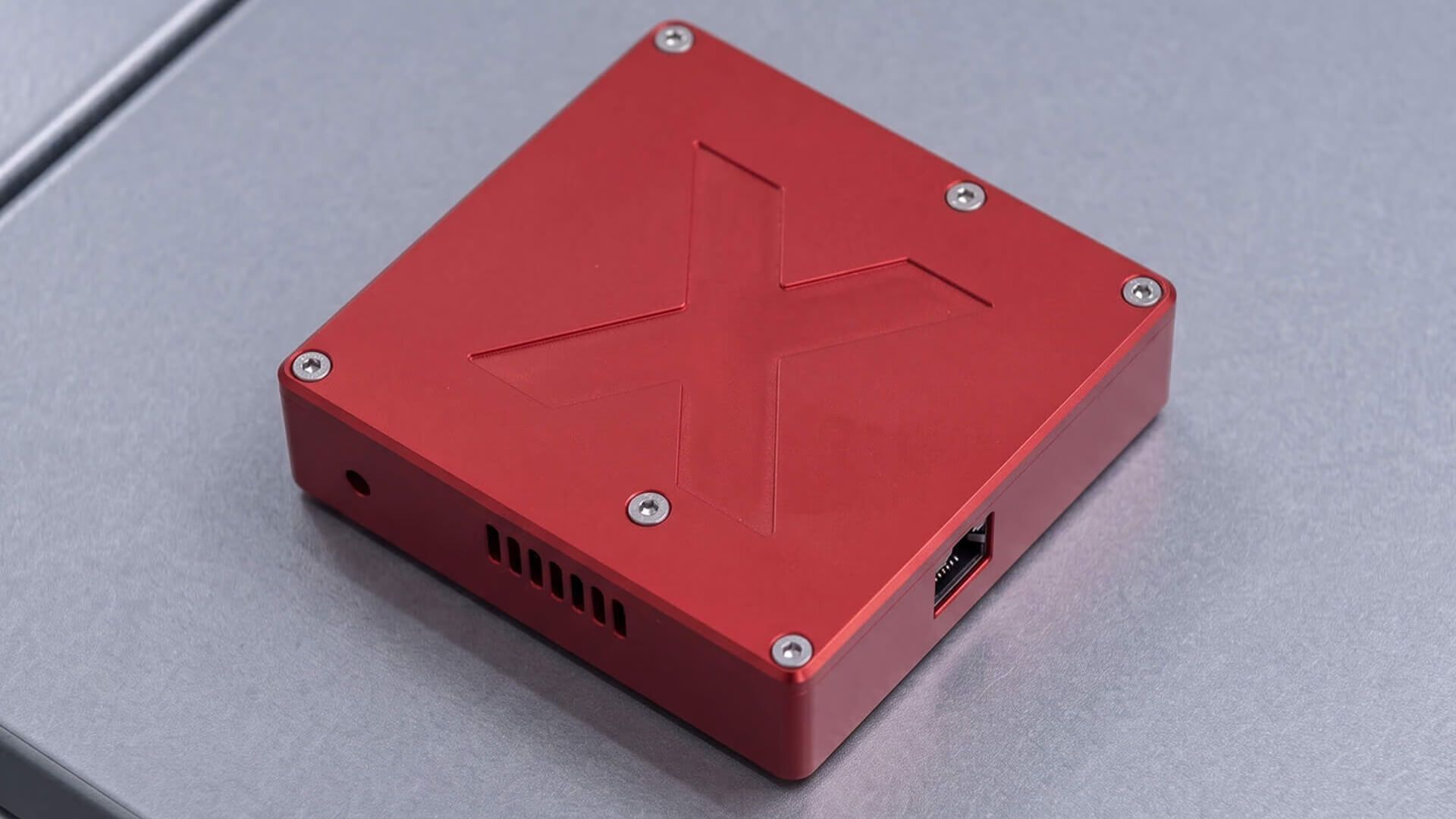
SensorX at a glance
Product sheet- What it is for
Production monitoring · Machine data collection · Data analysis
- Who it is for
Manufacturers that want accurate data on how their machines and production processes run, but cannot or do not want to interfere with the control of their equipment.
- Where it runs
In the cloud, in a web browser and in a mobile app
Sensors for machines of any make and age
SensorX uses several types of non-invasive sensors that can be installed on machines from different manufacturers and of different generations. The standard housing measures 14 × 32 × 41 mm, and for non-standard installation locations a custom protective housing can be made by 3D printing.
The individual variants can measure temperature and humidity, current in the phase conductors, the passing of an optical or magnetic marker, or physical movement of the machine. This makes it possible to monitor, for example, machine activity, rotational speed, conveyor movement or production cycles.
The Mesh Node function also lets individual sensors relay the signal of other devices towards the gateway, extending the reach of the wireless network across the production hall.
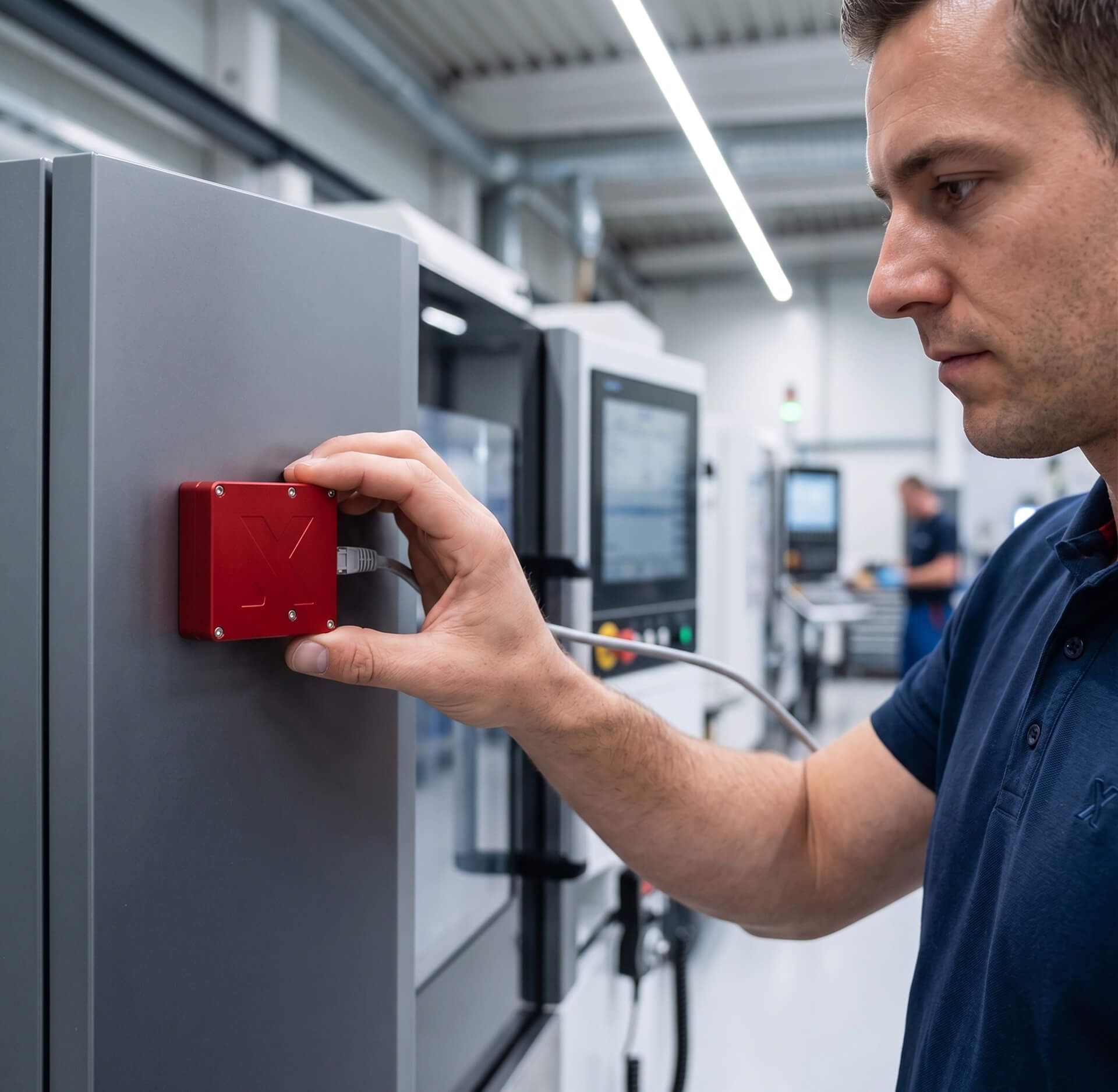
The CloudX gateway connects sensors to the platform
The CloudX Gateway connects the sensors to the cloud part of SensorX. Once the gateway is connected to power and the internet, supported sensors nearby connect automatically and start passing on measured data for processing.
In the web portal you can then register sensors, set their parameters and also manage the mobile app used by production staff.
The mobile app adds context to the data
Measuring the machine alone shows what it was doing. The mobile app lets operators add which order they were working on, what activity was under way or why a stoppage occurred.
The order can be identified by its barcode or QR code. Data measured by the sensor can thus be linked to a specific production order, product or activity. The app is available for iOS and Android devices.
Four ways to work with the data
Power BI Standard offers ready-made reports on data from the sensors and the mobile app. Power BI Custom lets you create your own dashboards, charts and filters, or combine production data with other sources.
The data can also be downloaded straight into Microsoft Excel with an add-in. For your own applications and integrations there is the CloudX API, through which data can be passed to ERP, analytics tools or other company systems, such as Navision, SAP or Helios.
What NEXTERA tech says about SensorX
How we get it running for you
Five steps from fitting sensors to verified changes
We fit sensors to selected machines
We choose a suitable measuring method according to the type of machine and the information you need. We install the sensors without touching the machine's control system, and for non-standard locations we can make a custom housing.
Operators add to the machine data
Automatic data on machine activity can be combined with information from staff. In the mobile app, operators identify the order by its barcode or QR code and, where needed, add the type of activity or the reason for a stoppage.
In the first week we collect data
Measured data and operator input are transferred to the CloudX cloud platform, where they can then be analysed. The very first week can reveal recurring downtime, unused capacity or deviations from production standards. You can reach the results from any browser and from the iOS and Android app, so nothing is installed on computers.
We show you where the losses are
We present the results in Power BI or Excel, for example. Together we evaluate machine activity, downtime, the performance of individual orders and other indicators relevant to your operation.
We verify changes on the same data
Based on the findings, we propose specific measures and use continued measurement to verify whether they really brought the expected improvement. According to NEXTERA tech, the initial consultation and installation pay for themselves within weeks, and the whole investment within two months.
What you get
Machine data without writing anything on paper
Downtime and its causes, data for order profitability and scrap rates, and a seven-day test on your own production.
Automatic data collection instead of manual copying
Information on machine activity is created automatically, right during production. There is no need to write this data on paper first and then copy it into spreadsheets.
Order profitability based on production data
When measured machine activity is linked to a specific order and other financial data, you can assess its actual production effort more precisely and use the data for costing and pricing.
Downtime including its causes
SensorX records when and for how long a machine was idle. Operators can add the reason for the stoppage in the mobile app, so downtime can later be sorted, compared and searched for recurring causes.
Data for scrap rate analysis
Information on non-conforming parts can be linked to data on the machine, the order and the course of production. This makes it possible to look for connections between production conditions and the occurrence of scrap.
Seven-day test on your own production
You can try SensorX on a selected machine first. A seven-day test and a consultation show, on your own data, what information the measurements can provide before any extension to other parts of production.
Integrace
Integration with your systems
Navision
Machine data passed on via the CloudX API.
SAP
Machine data passed on via the CloudX API.
Helios
Machine data passed on via the CloudX API.
Microsoft Power BI
Ready-made reports and your own dashboards.
Microsoft Excel
Data downloaded straight into Excel with an add-in.
CloudX API
Interface for your own applications and integrations.
Frequently asked questions
All questions and answersNo. SensorX is designed as a non-invasive solution. Depending on the type of measurement, the sensors are installed, for example, on a suitable part of the machine or on its power supply, without having to change the machine's control software. The exact installation method is chosen according to the machine and what you need to measure.
The first data is generated as soon as measurement starts. For a more meaningful evaluation, SensorX normally works with about a week of production data, in which recurring downtime, deviations or unused capacity can be identified. The seven-day test with a consultation is part of the offer.
The sensors automatically measure machines and selected physical quantities. The data can, however, be supplemented with information from staff via the mobile app, for example about the order currently in production, the type of activity or the reason for a stoppage.
The data can be viewed in Power BI, downloaded into Microsoft Excel or passed on to other systems via the API. Sensors and the solution's settings are managed in the SensorX web portal. The data is stored anonymised on the CloudX platform and the transfer is encrypted.
The rollout can start on a single selected machine. Once the sensors and the CloudX Gateway are installed, the system starts collecting data, and the first evaluation can be prepared after roughly a week of measurement. The solution can then be extended to other machines or parts of production.
Interested in SensorX?
- Ozveme se vám a probereme, co potřebujete a co už máte
- Z rozhovoru vzejde návrh řešení a cena
- Poptávka vás k ničemu nezavazuje
Similar products
- Production optimisation
anyCore
anyCore MES shows what is really happening in production. It links planning, orders, warehouses, machine data and reporting, and connects to your ERP.
NEXTERA tech- Production optimisation
Data analytics
Bring production data from machines, ERP and spreadsheets together in one overview. Dashboards and reports update continuously and show performance, deviations and connections.